
Off-Spec Results
Overview
Stream spec limits are stored on the stream as custom attributes. When a test comes in outside those limits, the account can be configured to send an email and open a workflow that connects the sample to the test.
To set or change a stream's spec limits, see Spec limits in Managing Streams.
The off-spec email
When off-spec notification is configured, the email includes:
- A summary of the off-spec result (for example stream, site, instrument, test date, sample dates, the measured value, and the limits it was compared against)
- A PDF export of the off-spec test and its sample, attached to the email
- A View In App button that opens the workflow in Validere

Open an off-spec result from email
Open the result in Validere when you want to review it in detail, leave a comment, or mark it invalid.
- Open the off-spec email.
- Click the View In App button. This opens the workflow that connects the sample to the test.
- In the workflow, open Form Submissions.
- Open:
- The off-spec test
- The associated sample
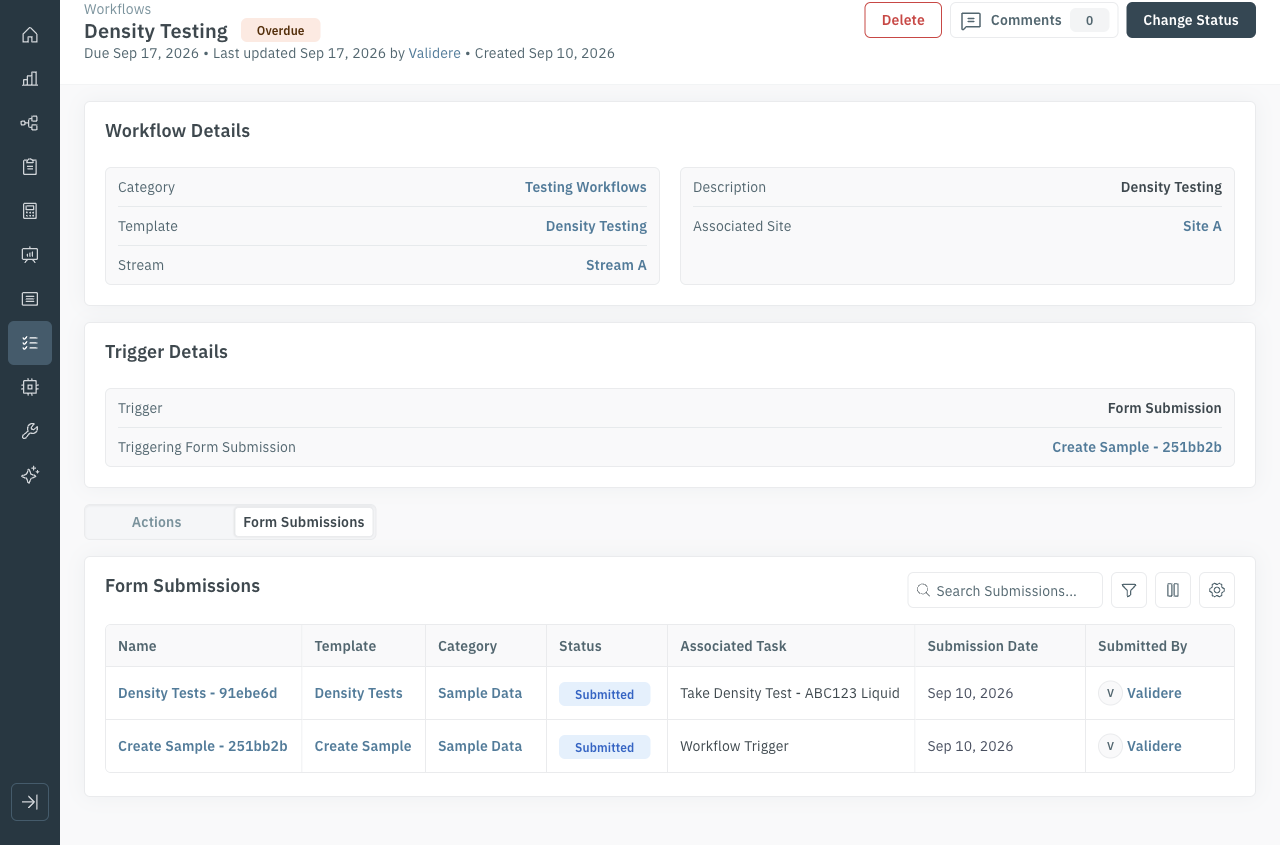
To leave a comment on the off-spec test, use Comments at the top of the workflow page.