
Navigating LIMS in Validere
Overview
LIMS work in the Validere web app happens in five areas of the sidebar: Dashboards, Organization, Reports, Forms, and Workflows. A few account-wide controls sit in the top-right corner.
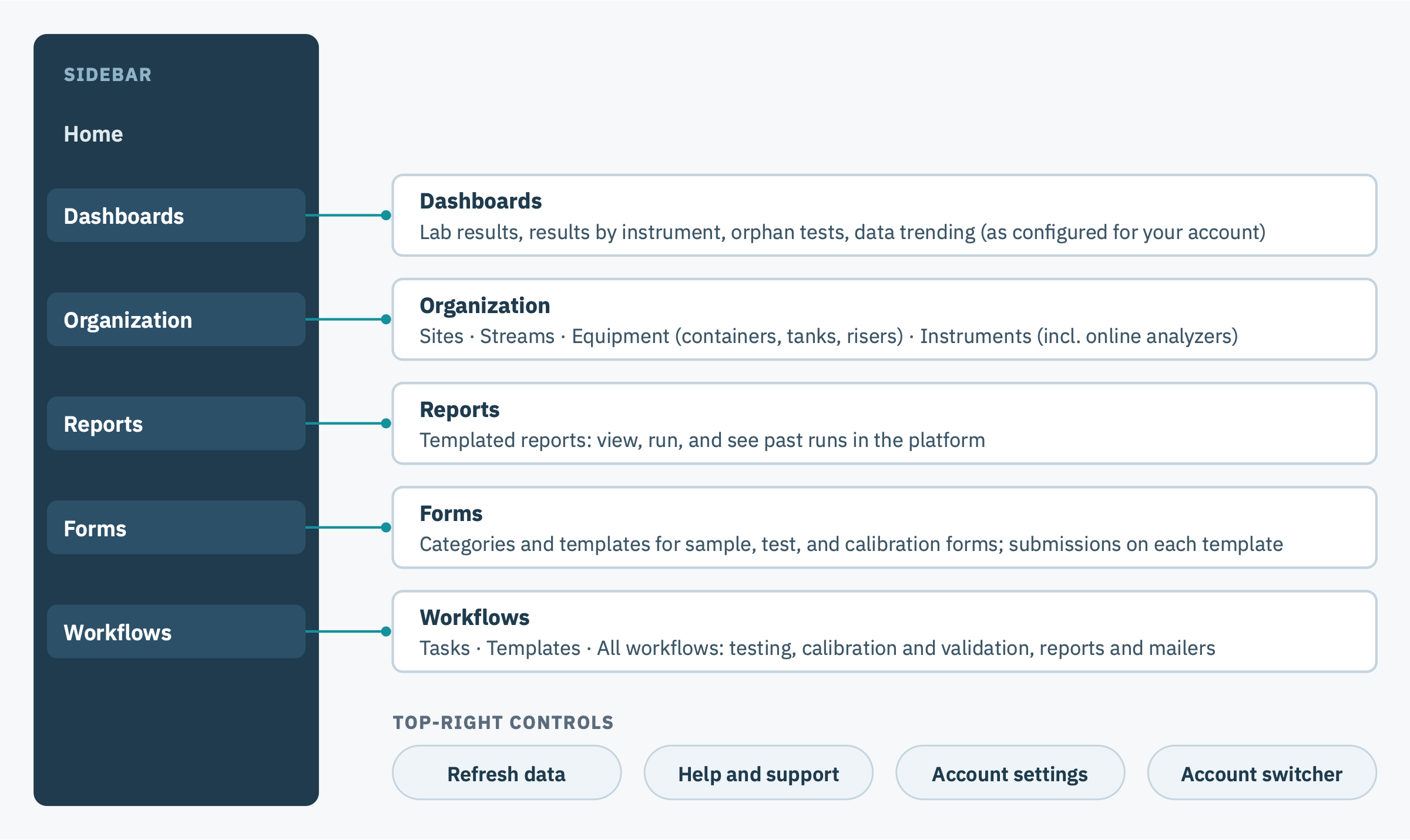
Sidebar
| Section | What you use it for |
|---|---|
| Dashboards | All dashboards configured for your account, for example lab results, test results by instrument, orphan tests, and data trending. |
| Organization | View and edit assets: sites, streams, equipment (containers, tanks, risers), and instruments (including online analyzers). |
| Reports > Templated | View and run reports directly in the platform, and see past runs. |
| Forms | Categories group form templates for easier navigation. Templates lists every form template (sample, test, and calibration forms). Open a template to see its submissions. |
| Workflows | View and manage workflows, including testing workflows, instrument validation and calibration, and reports and mailers. Tasks lists open tasks, Templates holds workflow templates, and All Workflows lists every workflow. |
Top-right controls
| Control | What it does |
|---|---|
| Refresh data | Reloads the data on the current page. It does not refresh dashboards. |
| Help | Opens the Knowledge Base or contacts support. |
| Settings | Opens account administration. See LIMS Account Administration. |
| Your initials | Opens the user menu and account switcher. |
